
In today’s hyper-connected world, language barriers are shrinking faster than ever. While dedicated translation apps have long been the go-to solution, many users are unaware that a powerful translation tool is already built into their iPhone Messages app.
As highlighted in the PopSci article, this feature offers a surprisingly simple way to translate text directly within conversations. But beyond convenience, it reflects a larger shift toward seamless, real-time multilingual communication integrated into everyday tools.
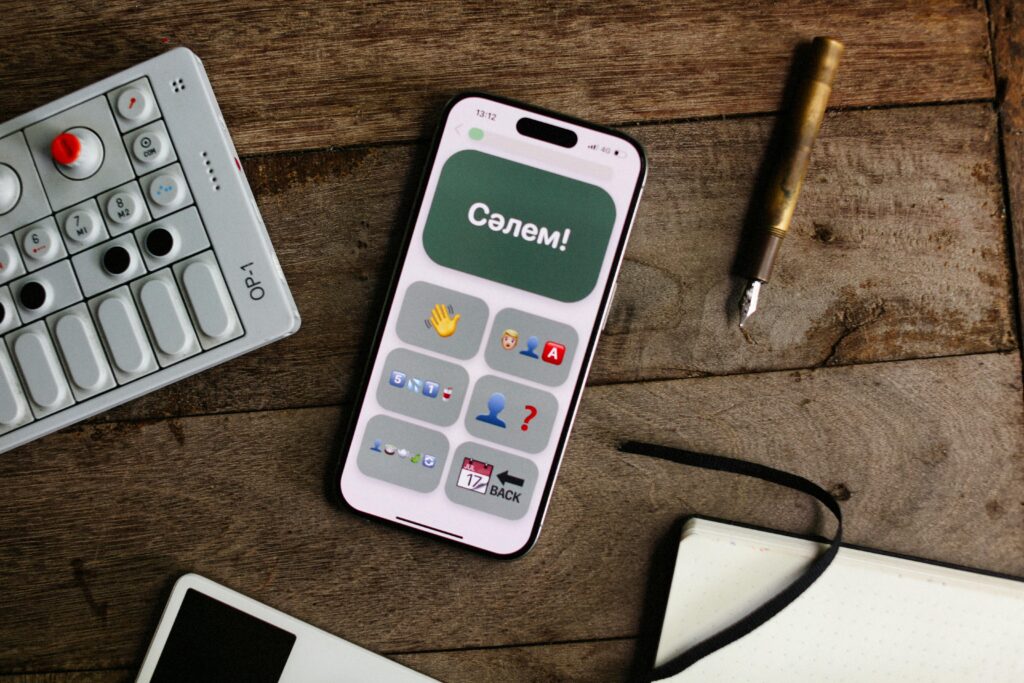
What Is the iPhone Messages Translation Feature?
Apple has quietly integrated translation capabilities into iMessage, allowing users to:
- Translate incoming or outgoing messages
- Communicate across languages without leaving the app
- Maintain conversation flow without switching tools
This feature leverages Apple’s broader on-device and cloud-based AI translation technologies, similar to those used in the Apple Translate app.
How It Works
1. Translating Messages
Users can typically:
- Tap and hold a message
- Select a “Translate” option (if available)
- View the translated version instantly
2. Supported Languages
The feature supports a range of major languages, such as:
- Spanish
- French
- Chinese
- Japanese
- German
- Arabic
Language availability may vary depending on:
- iOS version
- Region settings
3. Integration with iOS
The translation feature is part of Apple’s broader ecosystem, meaning it works alongside:
- Siri
- System-wide text selection tools
- The Apple Translate app
Why This Feature Matters
1. Seamless Communication
Instead of switching between apps, users can:
- Translate messages instantly
- Maintain natural conversation flow
- Reduce friction in multilingual chats
2. Accessibility for Everyday Users
This tool is especially useful for:
- Travelers
- International friendships and relationships
- Business communication
3. Time and Convenience
No need to:
- Copy and paste text
- Open separate translation apps
- Re-enter messages manually
Real-World Use Cases
1. Travel Communication
While abroad, users can:
- Chat with locals
- Ask for directions
- Handle bookings and services
2. Cross-Border Business
Professionals can:
- Communicate with international clients
- Handle quick translations in real time
- Improve responsiveness
3. Social Connections
Friends and families across countries can:
- Stay connected effortlessly
- Overcome language barriers
Limitations to Consider
1. Accuracy Variability
While AI translation is improving, it may:
- Misinterpret slang or idioms
- Struggle with complex sentences
- Lack cultural nuance
2. Language Availability
Not all languages are supported equally, and:
- Some regional dialects may not be included
3. Privacy Considerations
Depending on settings:
- Some translations may rely on cloud processing
- Sensitive messages should be handled with caution
Tips for Getting Better Translations
1. Keep Messages Simple
- Avoid slang or abbreviations
- Use clear sentence structures
2. Double-Check Important Messages
- Review translations before sending
- Use additional tools for critical communication
3. Combine with Other Features
- Use voice input for pronunciation
- Pair with the Apple Translate app for deeper functionality
How It Compares to Dedicated Translation Apps
Advantages:
- Built-in convenience
- No extra downloads
- Faster workflow
Disadvantages:
- Fewer advanced features
- Limited customization
- Less control over translation settings
The Bigger Picture: Integrated AI in Everyday Tools
Apple’s Messages translation feature reflects a broader trend:
1. Invisible Technology
AI is becoming:
- Embedded in everyday apps
- Less noticeable but more powerful
2. Real-Time Communication
The future of messaging includes:
- Instant translation
- Multilingual conversations
- Seamless global interaction
3. Reduced Language Barriers
Technology is making it easier to:
- Connect globally
- Share ideas across cultures
- Collaborate internationally
The Future of Messaging and Translation
1. Real-Time Conversation Translation
Future updates may include:
- Live translation during chats
- Voice-to-text multilingual messaging
2. Improved Context Awareness
AI will better understand:
- Tone
- Intent
- Cultural nuances
3. Deeper Integration
Translation could become:
- Fully automatic
- Invisible to users
- A default part of communication
Frequently Asked Questions (FAQs)
1. Where is the translation feature in iPhone Messages?
You can usually access it by tapping and holding a message and selecting the “Translate” option.
2. Do I need to install anything?
No, it is built into iOS, though you may need to enable certain settings or download language packs.
3. Is the feature free?
Yes, it is included with iOS.
4. How accurate is it?
It is generally reliable for everyday communication but may struggle with complex or nuanced language.
5. Does it work offline?
Some translations can be done offline if language packs are downloaded, but others may require an internet connection.
6. Can I translate outgoing messages?
Yes, you can translate text before sending or interpret replies.
7. Is it secure?
Apple emphasizes privacy, but users should still be cautious with sensitive information.
Conclusion
The hidden translation feature in iPhone Messages is a powerful example of how technology is quietly transforming everyday communication. What once required dedicated apps and manual effort is now integrated seamlessly into the tools we use daily.
As AI continues to evolve, features like this will become even more advanced—bringing us closer to a world where language is no longer a barrier, but simply a bridge waiting to be crossed.

Sources Popular Science