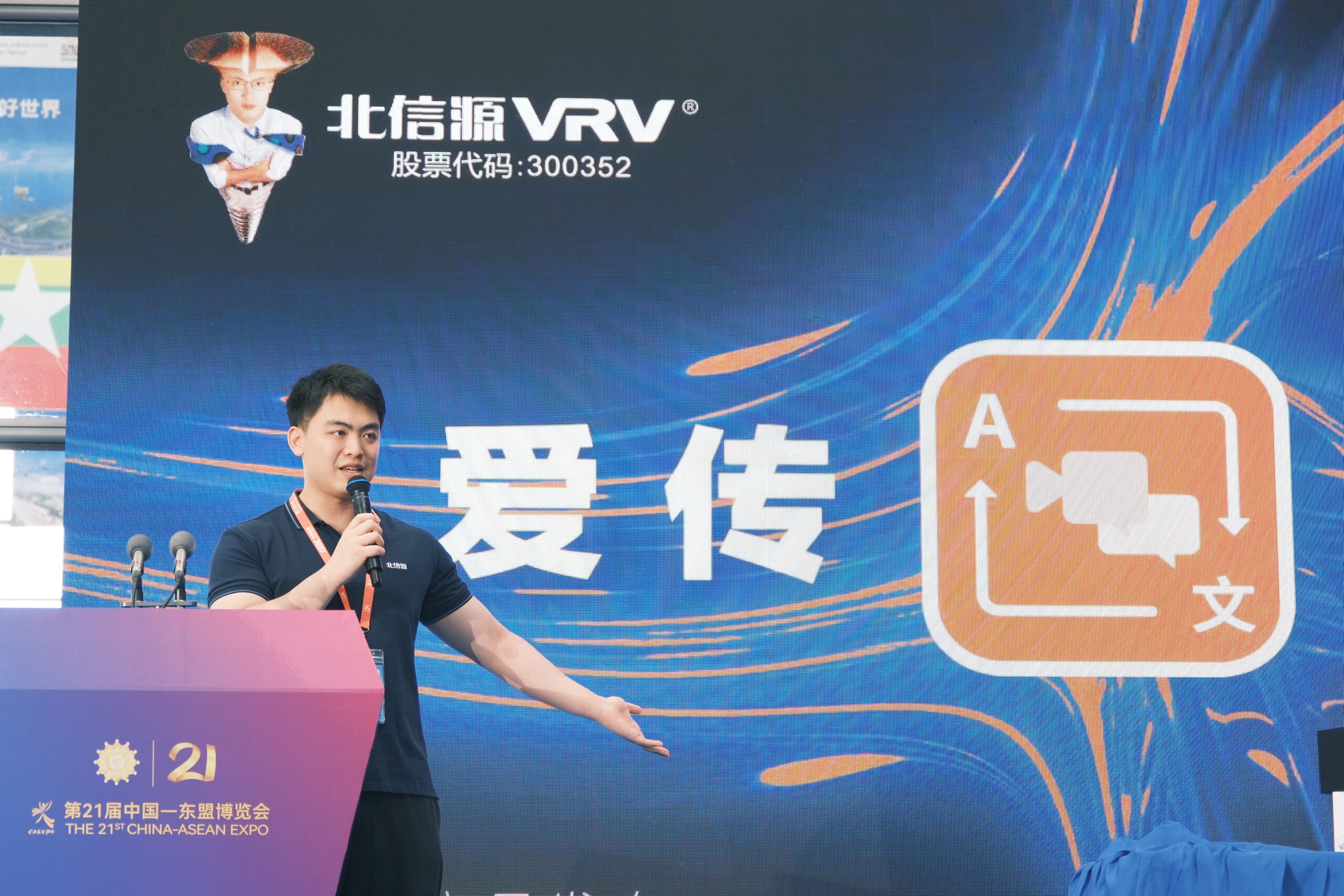
Video has become the internet’s dominant language, but language itself remains one of the biggest barriers to global reach. A creator may publish a brilliant tutorial, product review, documentary, podcast clip, online course, or marketing video — yet most of the world may never watch it simply because it is not available in their language.
For years, video localization was slow, expensive, and complicated. It required translators, subtitle editors, voice actors, audio engineers, project managers, and multiple rounds of review. That model still matters for high-end productions, but a new category of tools is reshaping the market: browser-based AI video translation platforms.
These tools allow creators, educators, businesses, and media teams to translate videos directly from a web browser, often with automatic transcription, subtitle generation, synthetic voice dubbing, voice cloning, timing alignment, and export options built into one interface. The result is what many are calling the “no-wait era” of video localization — a world where multilingual video publishing can happen in minutes or hours rather than days or weeks.

What Is Video Localization?
Video localization is the process of adapting a video for audiences in different languages, regions, and cultures. It is more than simple word-for-word translation.
A localized video may include:
- Translated subtitles
- Dubbed audio
- AI-generated voiceovers
- On-screen text translation
- Localized graphics
- Region-specific terminology
- Cultural adaptation
- Adjusted humor, idioms, or references
- Local SEO titles and descriptions
- Platform-specific captions for YouTube, TikTok, Instagram, LinkedIn, or e-learning platforms
For example, a U.S.-based software tutorial translated into Spanish may need more than Spanish subtitles. It may also require different date formats, local pricing references, culturally appropriate examples, and a voice style that feels natural to Latin American or European Spanish audiences.
Why Video Localization Matters More Than Ever
The internet is global, but much online video remains locked inside one language. English dominates many creator and business channels, but billions of potential viewers prefer or require content in other languages.
Localization helps creators and companies:
- Reach larger audiences
- Increase watch time
- Improve accessibility
- Grow international revenue
- Build trust in new markets
- Improve search visibility
- Repurpose existing content
- Compete with local creators
- Support multilingual customers
- Scale training and education globally
A video translated into five or ten languages can multiply its potential audience without requiring the creator to film new content from scratch.
The Old Localization Model: Powerful but Slow
Traditional video localization has long involved multiple specialists. A typical workflow might look like this:
- Upload or send the source video to an agency
- Transcribe the original audio
- Translate the transcript
- Edit the translation for cultural accuracy
- Create subtitles
- Time subtitles to the video
- Hire voice actors for dubbing
- Record audio in a studio
- Mix and master the audio
- Review the final version
- Export and publish
This approach can produce excellent results, especially for movies, television, corporate campaigns, and high-stakes brand content. However, it has several drawbacks:
- High cost
- Long turnaround times
- Complex coordination
- Multiple file transfers
- Limited flexibility
- Slow revisions
- Difficulty scaling to many languages
- Expensive updates when the original video changes
For creators who publish frequently, the traditional model can be impractical. A YouTuber uploading three videos per week or a company producing dozens of training clips may not have the budget or time for agency-based localization.
The New Model: Browser-Based AI Translation Tools
Browser-based AI translation tools simplify the localization workflow by bringing transcription, translation, subtitling, dubbing, and editing into a single online platform.
Instead of installing complex software or hiring a full team, users can often:
- Upload a video
- Select target languages
- Generate a transcript automatically
- Translate the transcript with AI
- Edit subtitles in the browser
- Generate dubbed audio
- Choose AI voices or clone a speaker’s voice
- Sync the new audio to the original video
- Export subtitles, audio tracks, or fully localized videos
This process can dramatically reduce turnaround time.
A video that once took a week to localize may now be translated and subtitled within minutes. Dubbing may take slightly longer depending on length and processing power, but it is still much faster than traditional studio recording.
Why Creators Are Switching to Browser-Based AI Localization
1. Speed Is the Biggest Advantage
The modern content cycle moves fast. Creators often need to publish while a topic is trending. A product announcement, news explainer, reaction video, or educational update may lose relevance if localization takes too long.
Browser-based AI tools allow creators to localize content almost immediately after recording. This is especially useful for:
- YouTubers
- TikTok creators
- Online educators
- Podcasters
- SaaS companies
- News publishers
- Coaches and consultants
- E-commerce brands
- Internal training teams
Speed can directly affect views, engagement, and revenue.
2. Lower Costs Make Localization Accessible
Traditional dubbing and subtitling can be expensive. Professional translation, voice acting, audio editing, and quality assurance may cost hundreds or thousands of dollars per video, especially across multiple languages.
AI tools reduce the cost dramatically by automating much of the work. This does not eliminate the need for human review, but it lowers the barrier to entry.
A small creator can now localize videos into Spanish, French, Hindi, Arabic, Portuguese, Japanese, or German without building a full localization department.
3. Everything Happens in the Browser
One reason browser-based tools are gaining popularity is convenience. Users do not need powerful computers, advanced editing skills, or local software installations.
A browser-based workflow offers:
- Cloud processing
- Easy access from any device
- Team collaboration
- Automatic saving
- Centralized project management
- Online subtitle editing
- Fast exporting
- Integration with social media and video platforms
This matters for distributed teams and solo creators who want to work quickly without technical complexity.
4. AI Dubbing Is Becoming More Natural
Early machine dubbing often sounded robotic. Today’s AI voices are much more natural, expressive, and multilingual. Some tools can preserve tone, pacing, and emotional delivery better than older text-to-speech systems.
Advanced platforms may offer:
- Voice cloning
- Speaker detection
- Multi-speaker dubbing
- Gender and age voice matching
- Emotion control
- Lip-sync support
- Accent selection
- Audio cleanup
- Background noise separation
Voice cloning is especially attractive to creators because it allows their videos to sound like them in other languages. However, it also raises ethical and consent issues, which must be handled carefully.
5. Subtitles and Dubbing Improve Accessibility
Localization is not only about international expansion. Subtitles help:
- Deaf and hard-of-hearing viewers
- People watching without sound
- Non-native speakers
- Students reviewing educational material
- Viewers in noisy environments
- Mobile users scrolling social feeds
AI-generated captions can improve accessibility quickly, although they should be reviewed for accuracy.
6. Multilingual SEO Can Expand Discovery
Localized subtitles, titles, descriptions, and transcripts can help videos appear in search results across different languages.
For YouTube and other platforms, translated metadata can improve discoverability. A video titled only in English may never reach a viewer searching in Spanish, Indonesian, Korean, or Arabic.
Creators who localize strategically can build traffic from markets where competition may be lower than in English-language search.
What AI Video Translation Tools Usually Include
While features vary by platform, many browser-based AI localization tools include the following:
| Feature | Why It Matters |
|---|---|
| Automatic transcription | Converts speech to text |
| AI translation | Translates scripts into target languages |
| Subtitle generation | Creates captions with timestamps |
| Subtitle editor | Lets users correct text and timing |
| AI dubbing | Generates translated speech |
| Voice cloning | Recreates a speaker’s voice in another language |
| Multi-speaker recognition | Handles interviews, podcasts, and panels |
| Lip-sync technology | Matches mouth movements to translated audio |
| Background audio preservation | Keeps music and sound effects |
| Export options | Downloads SRT, VTT, MP4, WAV, or separate tracks |
| Team collaboration | Allows editors, reviewers, and translators to work together |
| Brand glossary | Keeps names, terms, and product language consistent |
| API access | Enables businesses to automate localization at scale |

Browser-Based vs. Desktop-Based Localization Software
Traditional desktop video editing tools remain powerful, but browser-based AI platforms offer a different advantage: simplicity and speed.
Browser-Based AI Tools Are Best For:
- Fast social content localization
- YouTube videos
- Marketing clips
- Product demos
- Online courses
- Internal training
- Podcasts
- Webinars
- Startup teams
- Creators without editing experience
Desktop or Professional Studio Workflows Are Better For:
- Feature films
- Broadcast television
- High-budget advertising
- Legal or medical content requiring strict review
- Complex sound design
- Premium dubbing with professional actors
- Projects needing frame-level creative control
In many cases, creators use both. AI tools handle the first draft, while humans refine the final output.
The Role of Human Review
Despite major advances, AI translation is not perfect. Human review remains important, especially for videos involving:
- Legal advice
- Medical information
- Financial guidance
- Technical documentation
- Brand messaging
- Humor
- Slang
- Cultural references
- Sensitive topics
- Political or religious content
AI can misunderstand context, mistranslate idioms, or choose unnatural phrasing. A sentence that is technically correct may still sound awkward or culturally inappropriate.
The best workflow is often AI-assisted localization, not fully automatic localization. AI handles speed and scale; humans handle nuance and quality.
Common Problems in AI Video Translation
Creators should understand the limitations before relying entirely on automated tools.
1. Literal Translation
AI may translate words correctly but miss meaning. Idioms like “hit the ground running” or “break the ice” may sound strange if translated literally.
2. Timing Issues
Translated sentences may be longer or shorter than the original. This can cause subtitle crowding or awkward dubbing pace.
3. Voice Mismatch
AI voices may not always match the speaker’s personality, emotional tone, or audience expectations.
4. Lip-Sync Imperfections
Lip-sync AI is improving, but it may still look unnatural in close-up shots or fast dialogue.
5. Accent and Dialect Challenges
Spanish for Mexico differs from Spanish for Spain. Portuguese for Brazil differs from Portuguese for Portugal. Arabic has many regional dialects. Localization requires choosing the right variant.
6. Brand Terminology Errors
Product names, slogans, technical terms, and acronyms may be mistranslated unless the platform supports glossaries.
7. Ethical Concerns Around Voice Cloning
Using someone’s voice without permission can create legal and reputational problems. Consent is essential.
Ethical and Legal Issues Creators Should Consider
AI localization introduces powerful capabilities, but also important responsibilities.
Voice Consent
If cloning a voice, creators should obtain explicit permission from the speaker. This is especially important for employees, actors, influencers, customers, and podcast guests.
Disclosure
Some audiences may appreciate transparency when AI-generated dubbing is used. In educational, journalistic, or corporate settings, disclosure can build trust.
Copyright
Creators must ensure they have rights to localize and distribute the video, including music, clips, images, and third-party assets.
Data Privacy
Videos uploaded to browser-based platforms may contain private or confidential information. Businesses should review data handling policies, retention rules, encryption standards, and compliance certifications.
Deepfake Risk
Voice cloning and lip-sync tools can be misused. Responsible platforms usually include consent safeguards, watermarking, or identity verification.
How Businesses Are Using AI Video Localization
AI localization is not only for influencers. Businesses are adopting it for practical reasons.
Marketing Teams
Companies localize ads, product explainers, testimonials, and launch videos for different markets.
SaaS Companies
Software companies translate tutorials, onboarding videos, help center content, and release notes.
E-Learning Platforms
Educators and course creators convert lessons into multiple languages to reach global learners.
Human Resources
Global companies localize training videos, compliance modules, safety instructions, and internal communications.
Customer Support
Support teams translate troubleshooting videos and product walkthroughs to reduce ticket volume.
Sales Teams
Sales enablement videos can be localized for regional teams and international prospects.
Best Practices for AI Video Localization
To get better results from browser-based AI tools, creators should follow a structured process.
1. Start With Clean Audio
AI transcription works best when audio is clear. Use a good microphone, reduce background noise, and avoid overlapping speakers.
2. Write With Translation in Mind
Avoid overly complex sentences, obscure slang, and culture-specific jokes if you plan to localize widely.
3. Use a Glossary
Create a list of names, product terms, acronyms, and phrases that should remain consistent.
4. Choose the Right Language Variant
Do not simply choose “Spanish” or “Portuguese” without considering your audience region.
5. Review Before Publishing
Always review subtitles and dubbing before releasing localized content publicly.
6. Test With Native Speakers
For important videos, ask native speakers to check tone, clarity, and cultural fit.
7. Localize Metadata Too
Translate video titles, descriptions, hashtags, thumbnails, chapter titles, and calls to action.
8. Track Performance by Language
Measure watch time, click-through rates, retention, comments, and conversions for each localized version.
How to Choose a Browser-Based AI Video Translation Tool
When selecting a platform, creators and businesses should compare more than price. Important factors include:
- Supported languages
- Translation quality
- Subtitle editing tools
- AI voice quality
- Voice cloning options
- Speaker detection
- Lip-sync capability
- Export formats
- YouTube or social integrations
- Team collaboration
- Glossary support
- Security and privacy policies
- Commercial usage rights
- Turnaround speed
- Customer support
- Pricing by minute, seat, or project
- API availability
- Watermark policy
- Ability to edit translated scripts manually
For casual creators, ease of use and price may matter most. For businesses, security, consistency, workflow integration, and quality control are more important.
The Future of Video Localization
The next phase of AI video localization will likely move beyond basic translation and dubbing. Future tools may include:
- Real-time multilingual livestream dubbing
- More accurate emotional voice transfer
- Better lip-sync for all languages
- Automatic cultural adaptation
- AI localization quality scoring
- Personalized language delivery by viewer location
- Interactive multilingual video search
- Built-in compliance checks
- Human-in-the-loop review marketplaces
- Direct publishing to global content platforms
Eventually, creators may upload one master video and instantly publish fully localized versions for dozens of markets, complete with translated thumbnails, metadata, subtitles, voiceovers, and platform-specific formatting.
That future is not far away.
Conclusion
The rise of browser-based AI video translation tools marks a major shift in how creators and businesses reach global audiences. What was once a slow, expensive, agency-driven process is becoming faster, cheaper, and more accessible.
However, the best results still require thoughtful review. AI can accelerate localization, but human judgment remains essential for accuracy, culture, tone, and trust.
For creators, the opportunity is enormous: one video can become many. A single piece of content can educate, entertain, sell, or inspire across languages and borders. In the no-wait era of video localization, the creators who adapt early may be the ones who build the strongest global communities.
Frequently Asked Questions
1. What is a browser-based AI video translation tool?
A browser-based AI video translation tool is an online platform that helps translate videos directly in a web browser. These tools often include automatic transcription, subtitle generation, AI translation, dubbing, voice cloning, and export features without requiring desktop software.
2. Are AI video translations accurate enough to publish?
They can be accurate enough for many uses, especially simple educational, social, or marketing videos. However, human review is recommended before publishing, particularly for technical, legal, medical, financial, or brand-sensitive content.
3. What is the difference between subtitles and AI dubbing?
Subtitles display translated text on screen while the original audio remains. AI dubbing replaces or supplements the original speech with translated voice audio. Subtitles are faster and cheaper, while dubbing can feel more natural for viewers who prefer listening in their own language.
4. Is voice cloning legal?
Voice cloning can be legal when done with clear consent from the person whose voice is being cloned. Using someone’s voice without permission may create legal, ethical, and reputational risks. Always check platform policies and local laws.
5. Who benefits most from AI video localization?
YouTubers, educators, online course creators, marketers, SaaS companies, podcasters, e-commerce brands, and global businesses benefit most. Any person or organization with video content and an international audience can use AI localization to expand reach and engagement.
Sources The AI Journal